No sign-up form
Open the app without registering an Xsilent profile.
XSILENT · ANDROID PRIVACY VAULT
Xsilent protects photos, videos and PDFs locally without requiring an account, ads or mandatory cloud storage.
No sign-up • No ads • Local-first
Available for Android • Built by TSI Dev Studio
A private vault is often opened for a simple reason: you want selected files separated from the normal gallery. Creating another profile, confirming an email address or managing a cloud login can add friction before that basic privacy task even begins.
Xsilent does not require an Xsilent account, email address or phone registration for the private vault. That does not mean every other vault requires an account; it means Xsilent deliberately starts from a simpler, local-first model.
Open the app without registering an Xsilent profile.
The private vault does not depend on an email address.
Vault access is not tied to a separate cloud account operated by TSI Dev Studio.
Xsilent is not limited to images. It creates one focused private space for several types of personal content.
Separate selected private images from the ordinary gallery flow.
Keep personal videos beside the photos they belong with.
Store and view private PDF documents inside the Master vault.
Private files imported into Xsilent are protected locally using authenticated AES-GCM encryption. Xsilent does not make cloud storage mandatory and does not automatically upload private vault content to TSI Dev Studio servers.
The user decides what is imported, what is exported and whether to create an optional encrypted backup. This local privacy model keeps ordinary vault use separate from account creation and cloud synchronization.
Local-first protection without an Xsilent account.
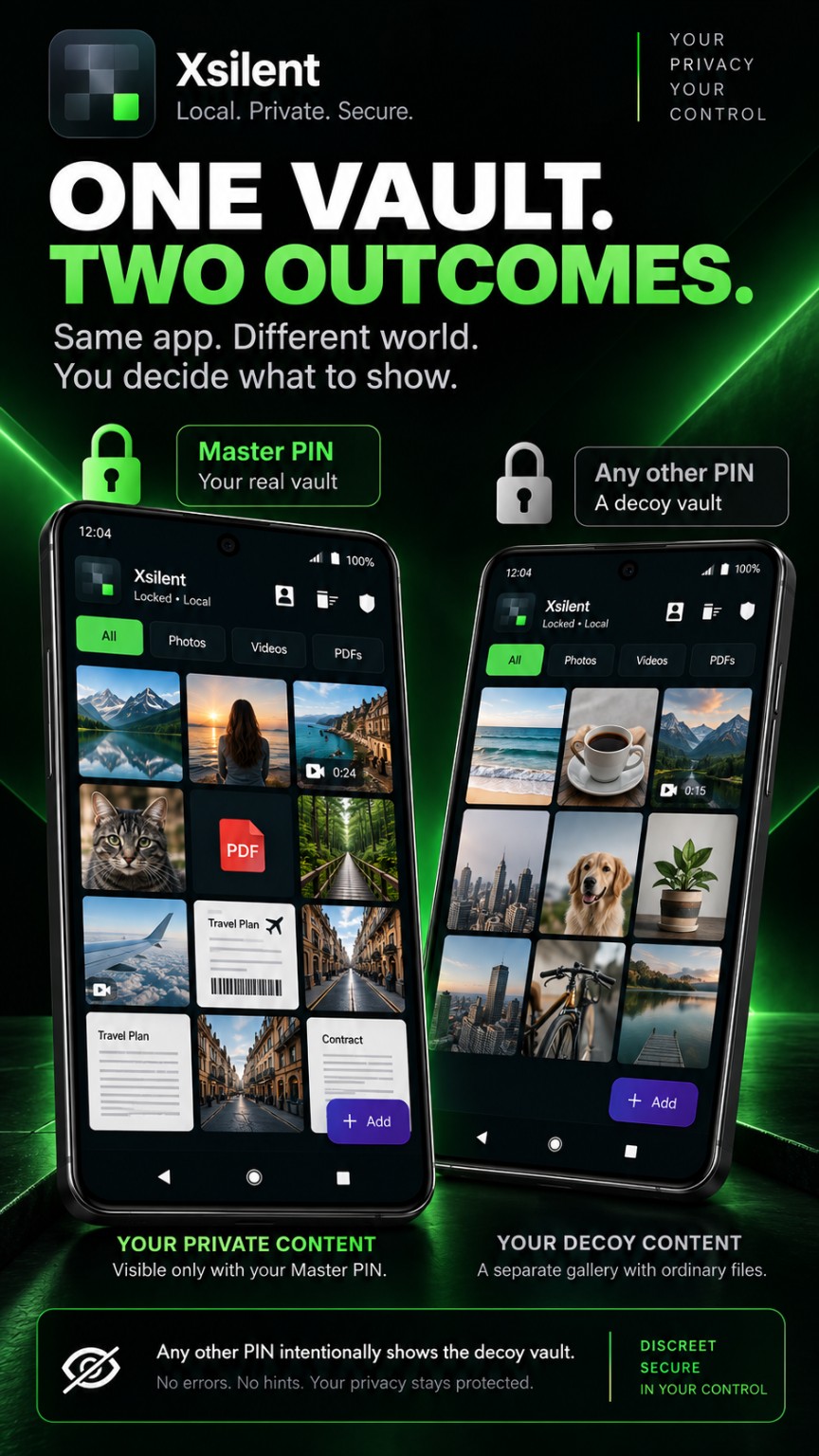
Photos, videos and PDFs in one focused, local-first Android vault.
With no separate Xsilent account to create, there is no product login based on an email address or phone number and no extra cloud-account password to remember. The app begins with privacy on the Android device.
A photo vault without an account can also be easier to understand: local files remain under user control, while Google Play remains responsible for installation, updates and the optional Lifetime purchase.
Blur sensitive areas and remove metadata from a copy prepared for sharing.
Choose a discreet alternative space without exposing how its distinctive mechanism works.
View private PDFs within the protected environment.
Create an encrypted backup when you decide one is needed.
Keep temporarily deleted vault content protected.
Review useful vault protection and maintenance information in one place.
Account-free access is paired with a clear commercial model: Xsilent offers a one-time Lifetime purchase for Premium access, with no monthly or yearly subscription and no advertising inside the app.
If avoiding recurring billing is the main decision, read about the Android photo vault with a one-time purchase. For document-focused use, see the private PDF vault that works without mandatory cloud storage.
Yes. The private vault does not require an Xsilent account.
No. Xsilent does not require an email address or phone registration to use the private vault.
No. There is no mandatory cloud storage, and private vault content is not automatically uploaded to TSI Dev Studio servers.
Yes. Xsilent supports selected photos, videos and PDFs.
No. Xsilent does not display ads inside the app.
Yes. Private vault content is protected locally on the Android device.
No. Premium access is offered through a one-time Lifetime purchase.
Vault protection is local-first. Google Play operations such as installation, updates, purchasing or restoration may still use internet access.
You can also examine the one-time purchase photo vault model or focus on private offline PDF storage on Android.
PRIVATE BY DESIGN
Use the official Google Play listing for Xsilent by TSI Dev Studio.